
# Registering a Metatrader account
There are several ways to add your Metatrader account. Method 1: during registration.
- Proceed to the step asking if you have an Metatrader account.
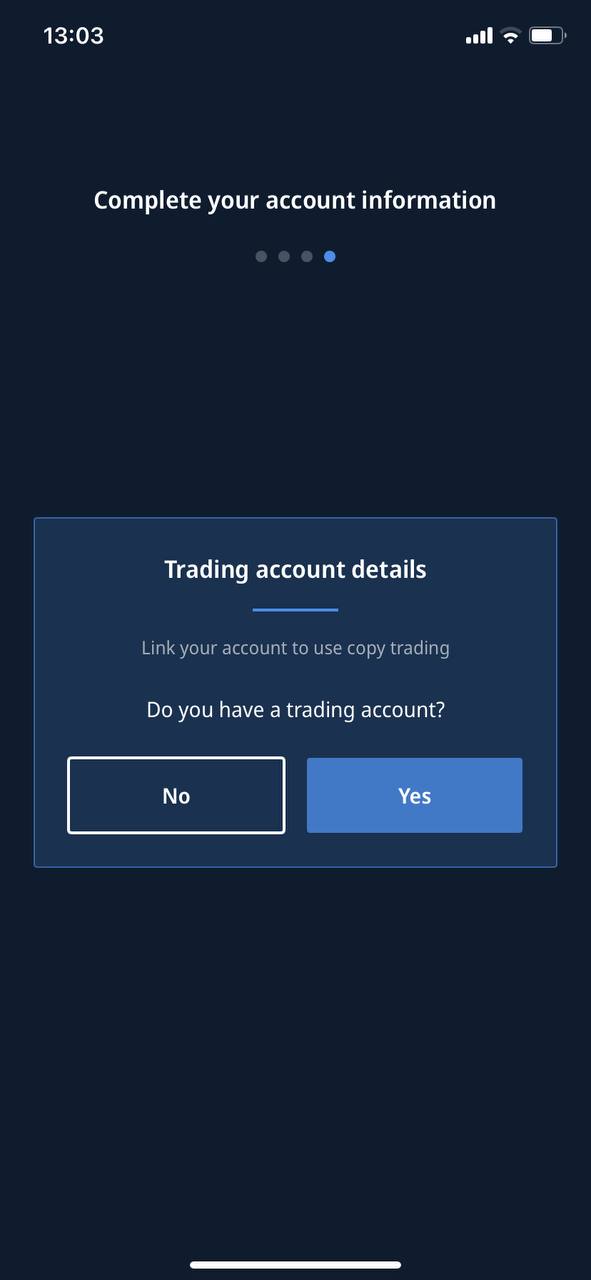
- Confirm your account.
- Enter your account number.
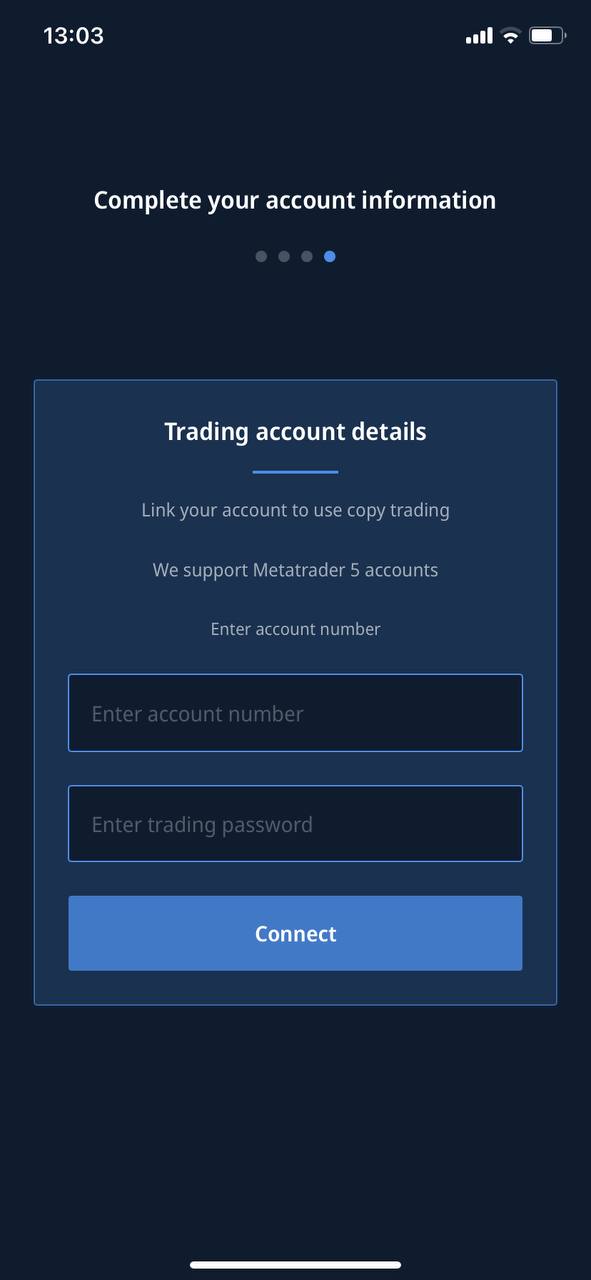
- Enter your password.
- Confirm by clicking the Connect Account button.
- Wait for the account to be processed and added.
- Done! Your Metatrader account is linked.
Method 2: in Settings.
- Go to Settings.
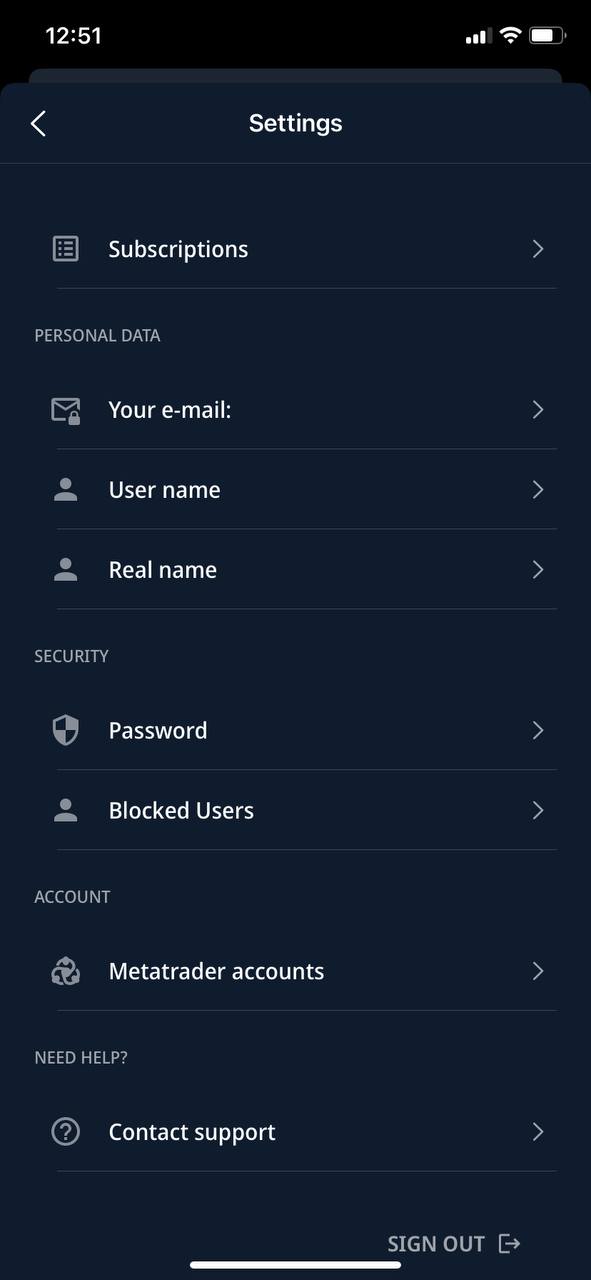
- In the Account section, select Metatrader accounts.
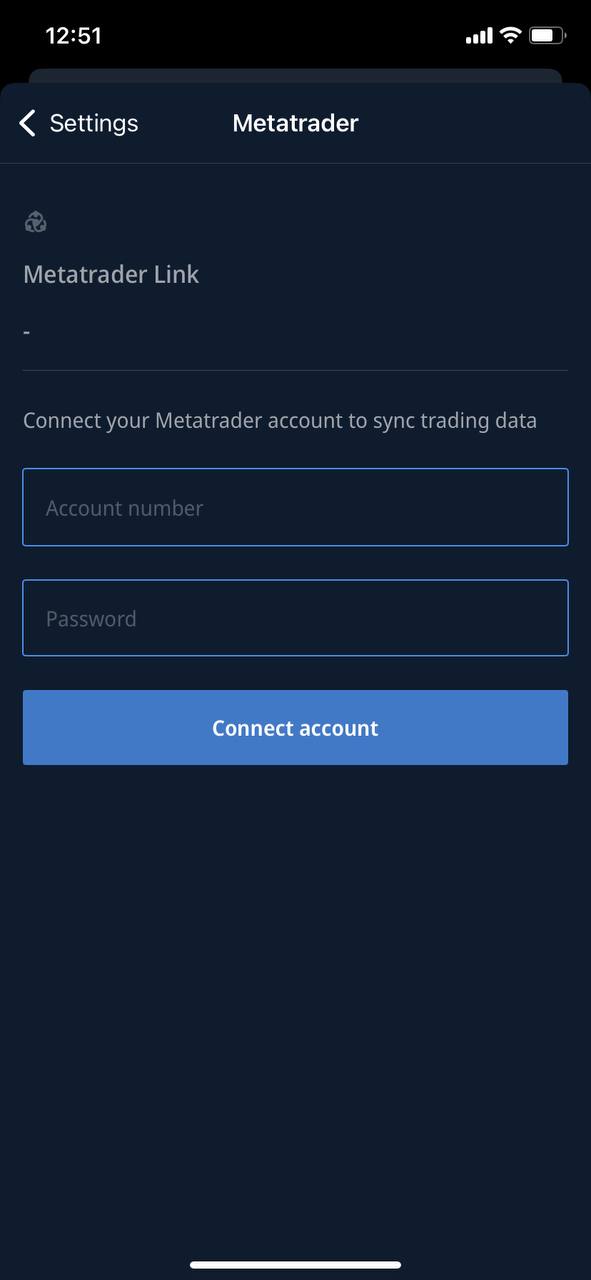
- Enter your account number.
- Enter your password.
- Confirm by clicking the Connect Account button.
- Wait for the account to be processed and added.
- Done! Your Metatrader account is linked
Method 3: in the copy trading tab
- Go to the copy trading tab
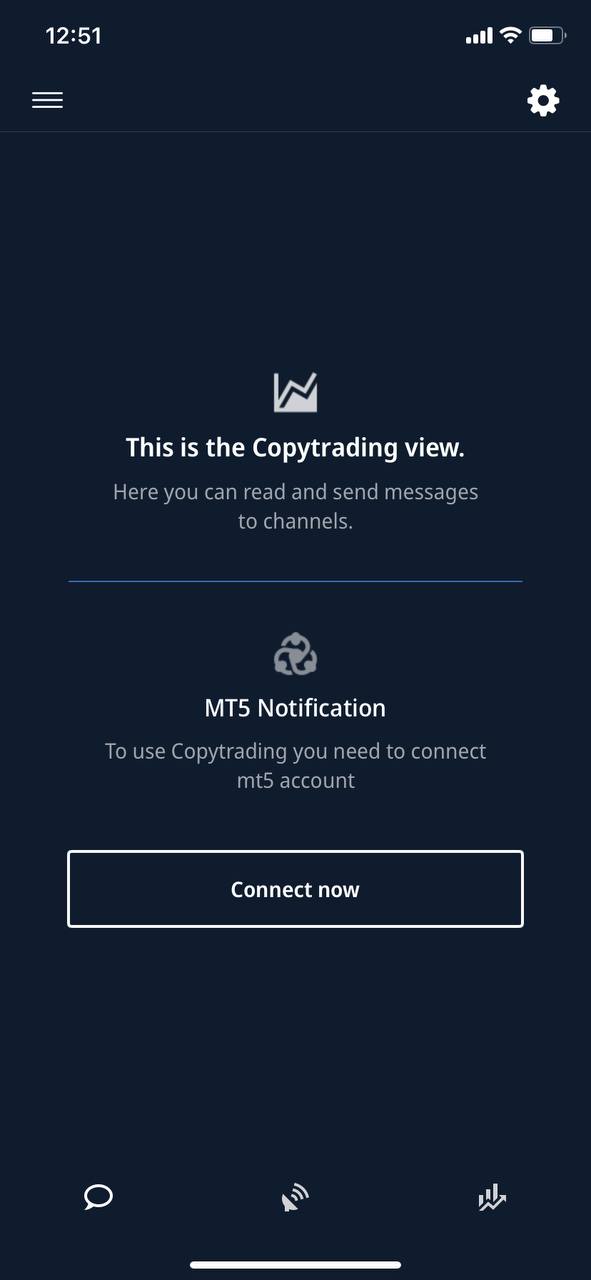
- Click Connect Now
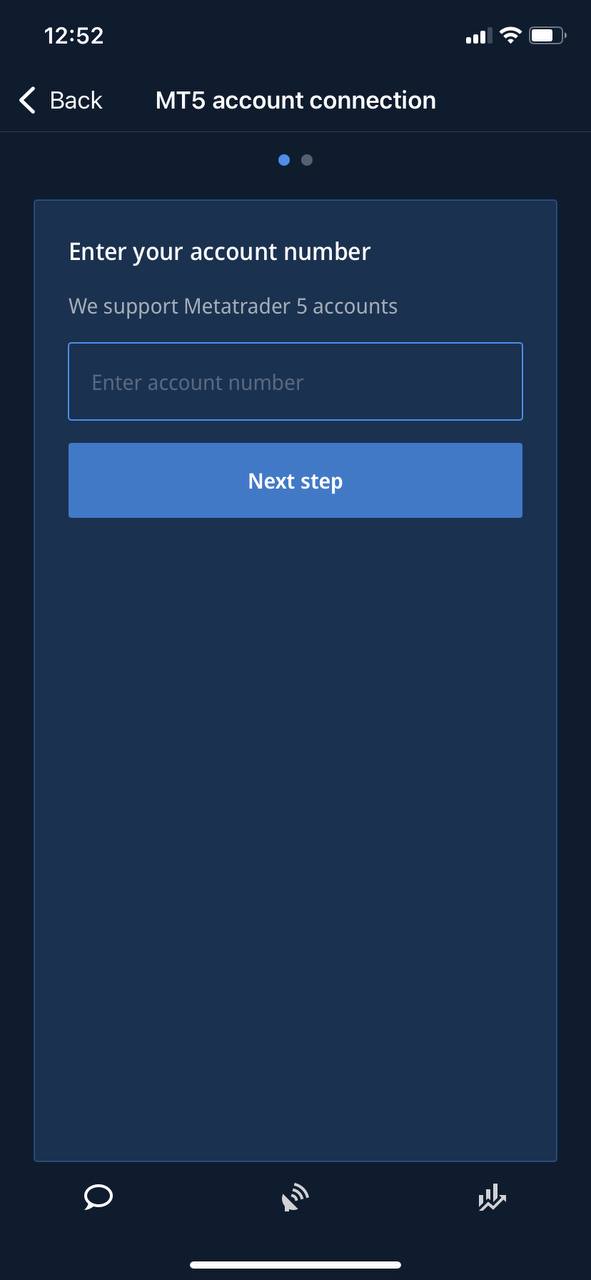
- Enter your account number
- Enter your password
- Confirm by clicking the Connect Account button
- Wait for the account to be processed and added
- Done! Your Metatrader account is linked